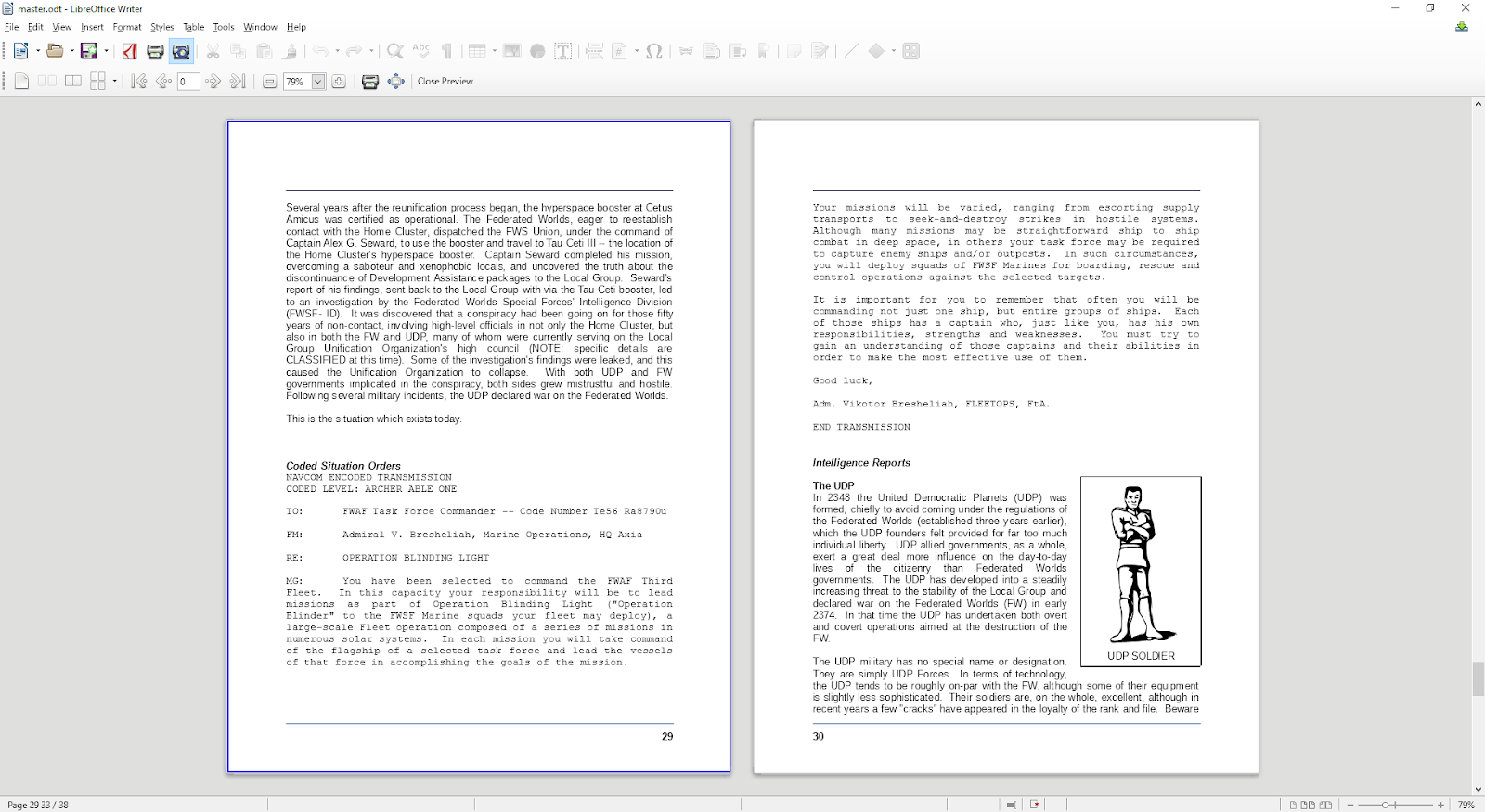
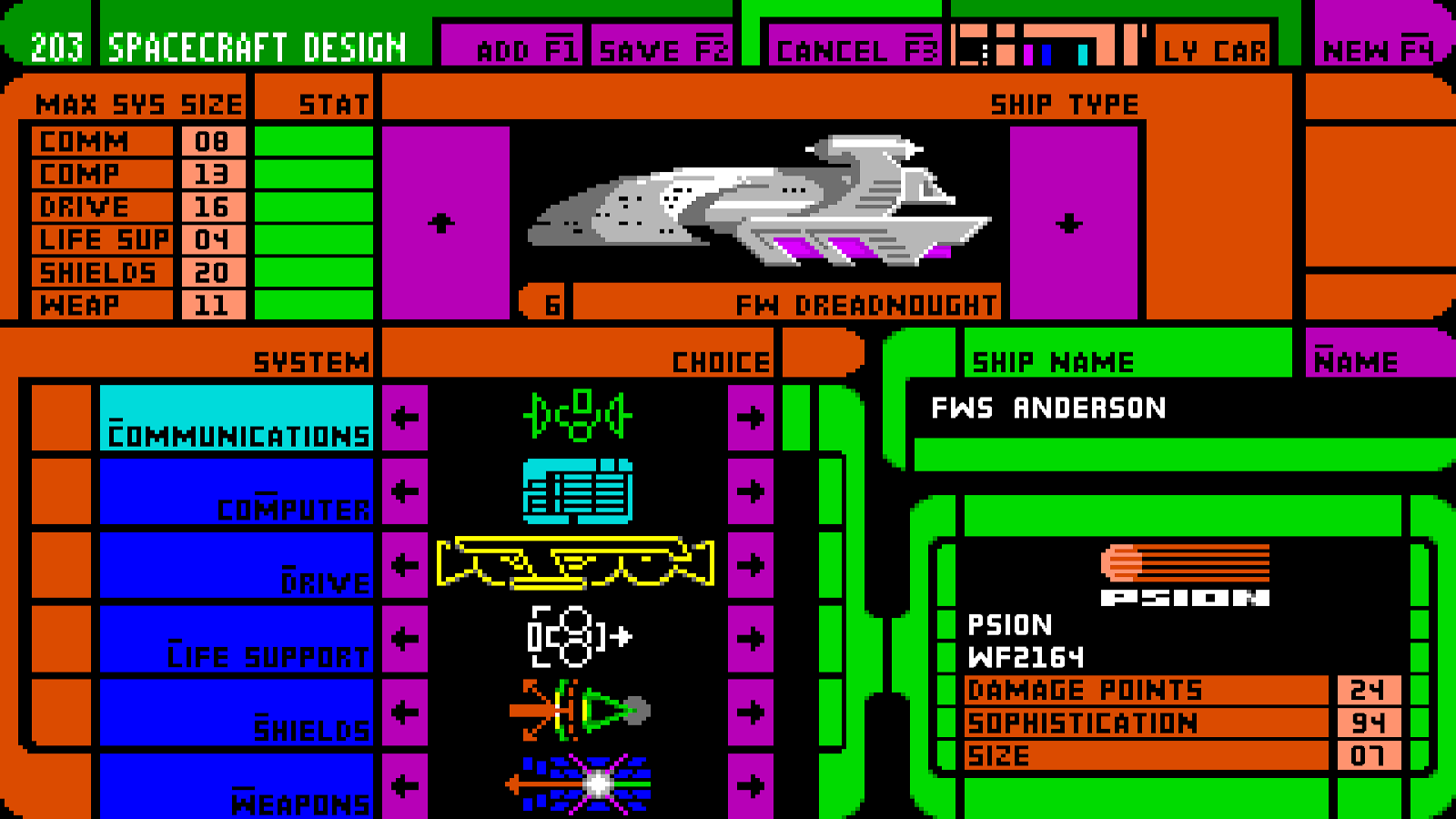
The manual is slow and steady, but while reformatting and reviewing it, I have lots of ideas for tutorials and guided tours now. I'm also jotting down ideas on how to implement the lessons in a back-of-the-napkin kind of way. As I said before, the keyfiles are simple list of what key was pressed and when. It does not save mouse clicks, and on top of which, the mouse is disabled when recording a keyfile anyway. However, one of the interesting things about ROE is that it has object list of all the buttons in the game. The button object info also includes the locations and sizes of them so I'll probably be capitalizing on that to highlight buttons that were pressed with a callout to the tutorial text.
Speaking of callouts, reproducing them in the manual is kind of tedious. If it isn't obvious, I'm using LibreOffice. Sadly, the callouts native to that program have boxes around the text elements. This means I'm having to do the text elements and the line separately. Looking at the original scanned manual, it appears that the graphics were physically pasted into the paper and the lines were drawn with pen. This is a massive improvement.
Anyways, back to putting my editor's hat on.
Monday, April 30, 2018
Saturday, April 28, 2018
Manual Labor
I've decided to make it a weekend project to finish the manual. At least get it current and into some kind of baseline. I've had to update some graphics a little but most of it is simply pushing things into the right areas and putting pagebreaks just so.
It's yet another unglamorous thing. But it's been fun updating some of the icons to Unicode. Sadly the symbols used for PageUp/PageDown and Home/End were not the ones that the Unicode standard chose. (But are the ones in the game) so I had to make due with a graphic.
Speaking of graphic I updated some of the lineart to SVG. Looks pretty snazzy.
All of this work is giving me ideas for tutorials. I think I have about five or six of them in my head now. I finalize them when I'm done with the manual. I'm on page 87 of 220 after a days worth of work.
It's yet another unglamorous thing. But it's been fun updating some of the icons to Unicode. Sadly the symbols used for PageUp/PageDown and Home/End were not the ones that the Unicode standard chose. (But are the ones in the game) so I had to make due with a graphic.
Speaking of graphic I updated some of the lineart to SVG. Looks pretty snazzy.
All of this work is giving me ideas for tutorials. I think I have about five or six of them in my head now. I finalize them when I'm done with the manual. I'm on page 87 of 220 after a days worth of work.
Thursday, April 26, 2018
Keyfiles and Tutorials
I was able to knock out the keyfile/demo system today. It was pretty simple. I can now record and play back keyboard inputs as the basis of the upcoming tutorial system. However, it then became a question of... What should I tutor?
ROE has kind of an esoteric interface. It's one of the things I find charming about the game. However you shouldn't have to read a 220 page manual to learn how to play content anymore. Current gamers, for all of their nostalgia, reminisce about when games came with booklets. I can relate. However, here's a little tidbit. Right now I'm learning how to play breach so I can get the IGS linking done properly. That game is not very intuitive at all! It's 126 page manual, (Which also doubles as it's copy protection), is a bit heavy interspaced with stories and lore. However, you have to get to the end to find the quick-start tutorial and the key bindings. Another thing is RTSs have grown a little and there are conventions nowadays that didn't exist in 1991.
It get an idea what is important, I decided to end-to-end the ROE manual. While cracking it open, I figured while I had it, I might as well work on updating that as well. When I get the ROE sourcecode, it came with the manual in both DOC and Adobe Pagemaker 4 formats. Sadly, there is nothing that is going to crack open the Pagemaker files. The last program that could open those was version 7 and Adobe redirects you to InDesign, which can't open them at all. Such is progress I guess.
So I'm updating the DOC files, that seem a bit out of date. I'm filling in the gaps from a scanned PDF of the original manual. It's looking good, and while I go through it, I'll be getting together a tutorial syllabus and implementing what I think is important. Most likely there will be a run though of the Shakedown Cruise. This may require me to do a little datafile shenanigans as it will require me to make a commander and start a game that won't mess up the player's settings.
I'm also mapping what the actual command line arguments are for the game. I know most of them, but it's best get get them all written down somewhere.
ROE has kind of an esoteric interface. It's one of the things I find charming about the game. However you shouldn't have to read a 220 page manual to learn how to play content anymore. Current gamers, for all of their nostalgia, reminisce about when games came with booklets. I can relate. However, here's a little tidbit. Right now I'm learning how to play breach so I can get the IGS linking done properly. That game is not very intuitive at all! It's 126 page manual, (Which also doubles as it's copy protection), is a bit heavy interspaced with stories and lore. However, you have to get to the end to find the quick-start tutorial and the key bindings. Another thing is RTSs have grown a little and there are conventions nowadays that didn't exist in 1991.
![]() |
| Giving the manual a facelift. |
So I'm updating the DOC files, that seem a bit out of date. I'm filling in the gaps from a scanned PDF of the original manual. It's looking good, and while I go through it, I'll be getting together a tutorial syllabus and implementing what I think is important. Most likely there will be a run though of the Shakedown Cruise. This may require me to do a little datafile shenanigans as it will require me to make a commander and start a game that won't mess up the player's settings.
I'm also mapping what the actual command line arguments are for the game. I know most of them, but it's best get get them all written down somewhere.
Wednesday, April 25, 2018
Zoom Works - All Options Complete
| Zoomed 16:10 on 16:9 display. Side borders are visible. |
My next task is the Demo/Tutorial system. The demo system in this game uses what's called a "keyfile", which is a timed list of recorded keys pushed during gameplay. I have a sample demo file, but it doesn't have much. While I was checking the filesystem functions for the keyfiles, I saw that my data path variables could stand to be a global so that any function could use them. I streamlined that a bit.
During the initial porting process, I had an issue with the keyfiles before so I left them alone. The problem was I couldn't process the accelerator keys. I actually don't think I'll need these as all the commands I have run across so far don't use them. Especially as I'm going to use the keyfiles for tutorials. The idea is that with every keypress, a bubble will pop up explaining why that button was pressed. That tandem script will be found in a .tut file with the same name. The game only uses one demo file called "rules.dem" but I will take advantage that the keyfile loader allows for different filenames. The idea is the tutorials will be found in the F1 Help function. Right now it just gives a general blurb about the screen you are on. After adding the Option button, I should have no problem modifying the help system. I'll have to come up with a syllabus. Most likely I'll have it auto-play though the shakedown cruise mission as the "final" tutorial.
I've been working a little extra to make up for my lost GDC time. My Trello TODO list is getting shorter too :)
Tuesday, April 24, 2018
Stretch and Squish
| Ship builder in 1080p. It's cooler then it looks |
After the display squishing is done, the next project is the keyfiles, which should be turned into a Tutorial system. The keyfiles were originally the prerecorded input used for "demos", which was popular in the 90s. I may extend this a bit with a commentary file that is read in tandem.
It may not look like much, but it's going better then I imagined.
Monday, April 23, 2018
Seamless
![]() |
| Overlap at the corners |
I fixed the FadeIn() fader. It wasn't anything than needed a rewrite, just some order of operations were backwards. I also just got the starfield implemented. I've having the border update when the game updates the screen. Keep in mind that ROE updates the screen asynchronously. This means the border rotates faster on some screens then on others. This is actually a good thing, as it allows me to look for bottlenecks. ROE is not a computationally complex game, but some screens are giving me less then 10 FPS and my CPU is spinning up to 100%. Some screens "pause" input which causes everything to freeze until you press "OK". During my optimization pass I will need to get the background spinning as fast as possible and then I'll put in a timer to get the updates consistent. However, for now, the background is implemented. Now on to the squishy/stretchy bits.
| The rotating starfield is ubiquitous while in full screen mode. |
Sunday, April 22, 2018
Crossing the Border
![]() |
| Full screen experiment using a test border |
| Seam errors |
Sadly when fading in with the new border, it looks like garbage. I'm going to need to recode the "fade in from black" function again, making it my 4th rewrite. The original game used a simple CULT fade, but I don't have that in Allegro 5 and instead rely on layers going from opaque to transparent on a timer. I think I may need to "Fix Once and for All" that code once and for all.
Subscribe to:
Posts (Atom)